e-SMBG Cloud Update
Notice of function additions2026/09/01
Thank you for using our services.
We would like to inform you that we have added the following features today.
- Notice Regarding the Addition of Multi-Factor Authentication for Login
-
Multi-factor authentication is now available for login to the e-SMBG website.
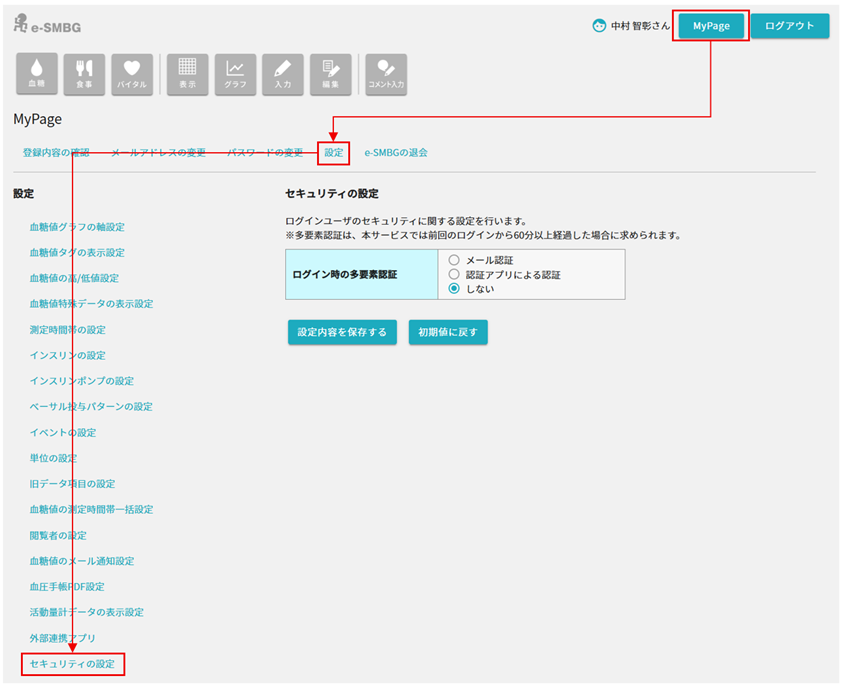
* Multi-factor authentication can be configured from "Security settings" in the MyPage settings menu after login.
* For the second factor, choose either "Email authentication" or "Authenticator app authentication."
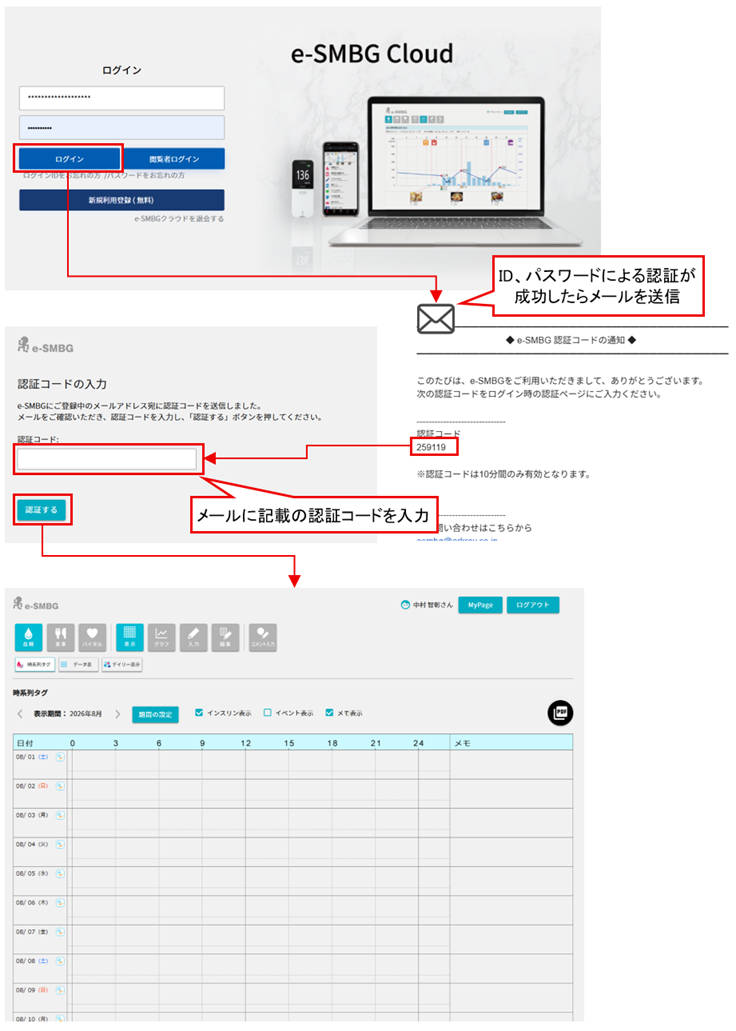
* With "Email authentication," a one-time authentication code is sent to your registered email address. Enter that code to authenticate.
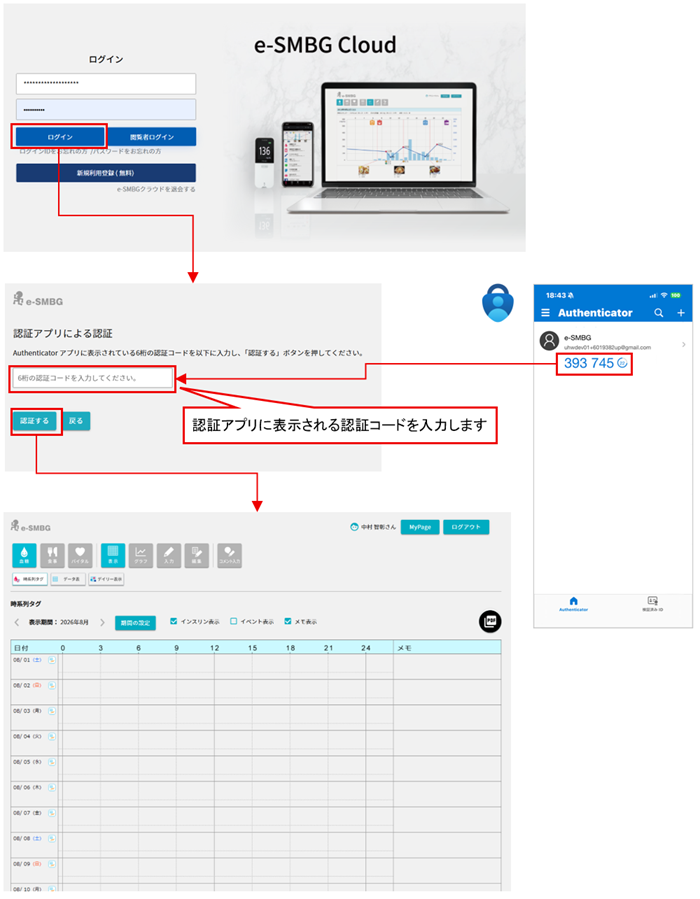
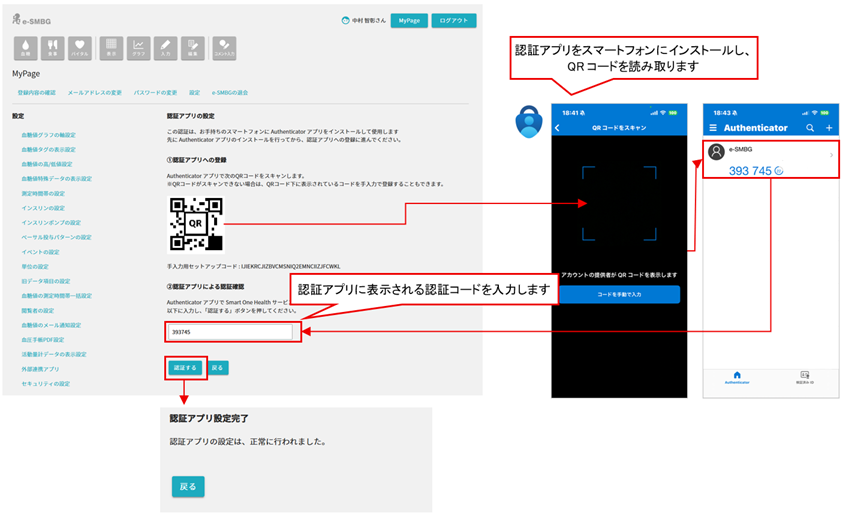
* With "Authenticator app authentication," register the service in an Authenticator app (e.g. Google Authenticator) via QR code, then enter the authentication code shown in the app at login.
* After successful authentication, you can log in with only your ID and password for a certain period of time.
[Multi-factor authentication settings]

[Email authentication]

[Authenticator app authentication 1. Setup]

[Authenticator app authentication 2. Login]